
TMCS-Lite
TMCS-Lite is KYK Labs' layout designer for factory and logistics floors. Lay out a site in 2D/3D and simulate the flow of AGVs, AMRs, OHTs, conveyors, lifters and more. Sign in with your issued account to load a demo scenario and try the core features hands-on.
Product screens
Actual TMCS-Lite screens — click to enlarge
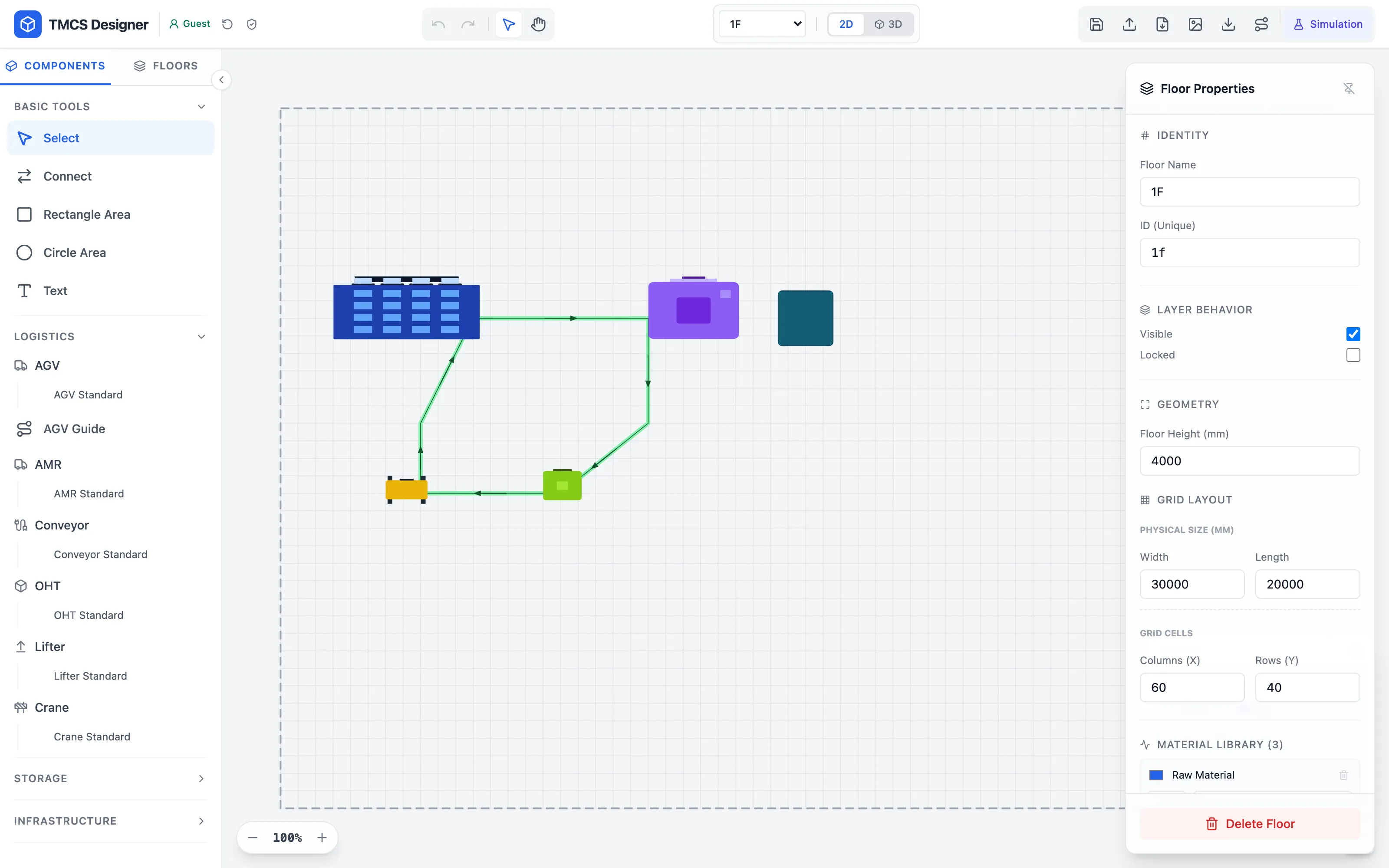
2D layout editor
Drag equipment, routes and zones into place, and edit properties per floor.
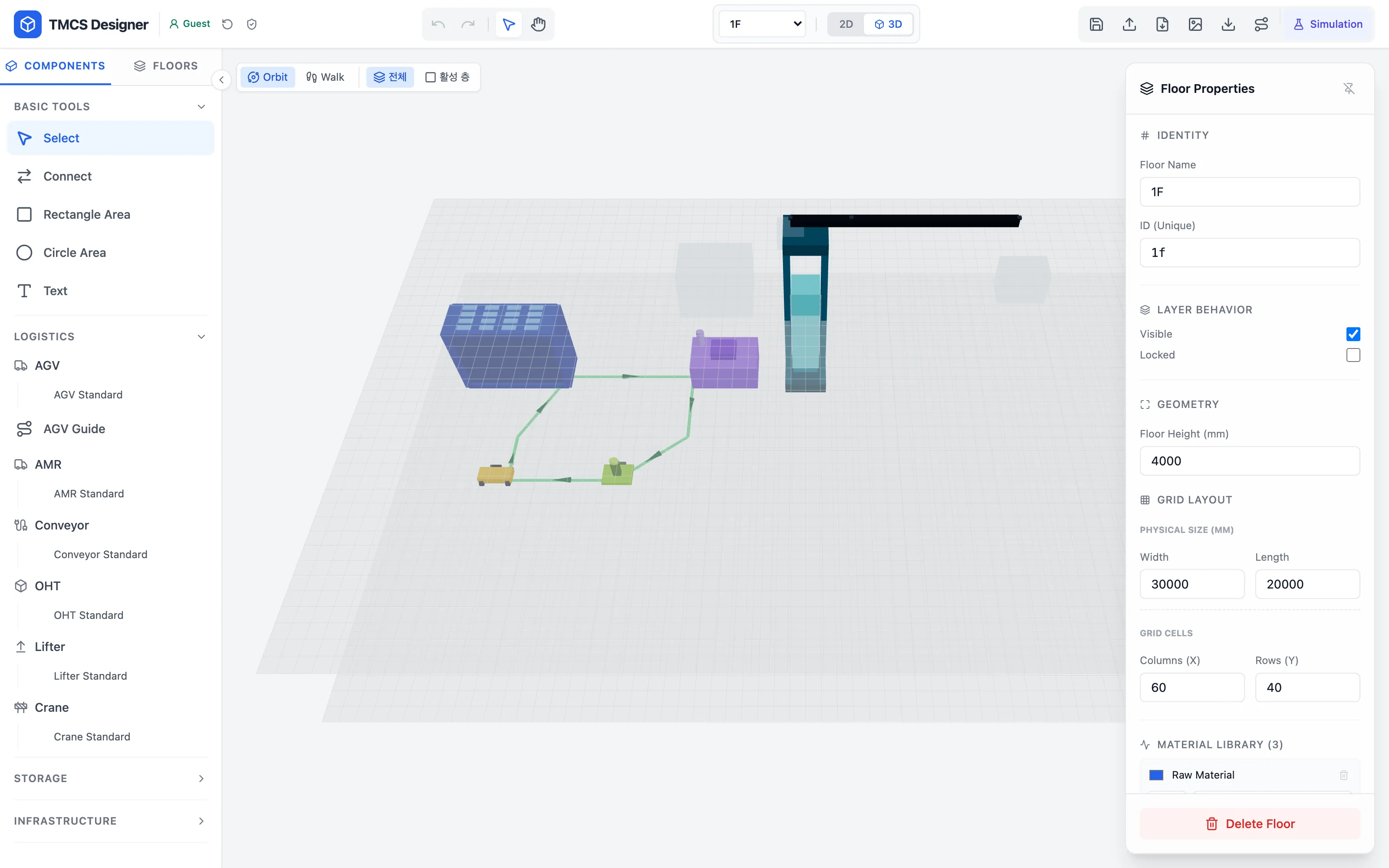
3D view
Switch the layout you are editing into 3D and inspect it in Orbit or Walk mode.
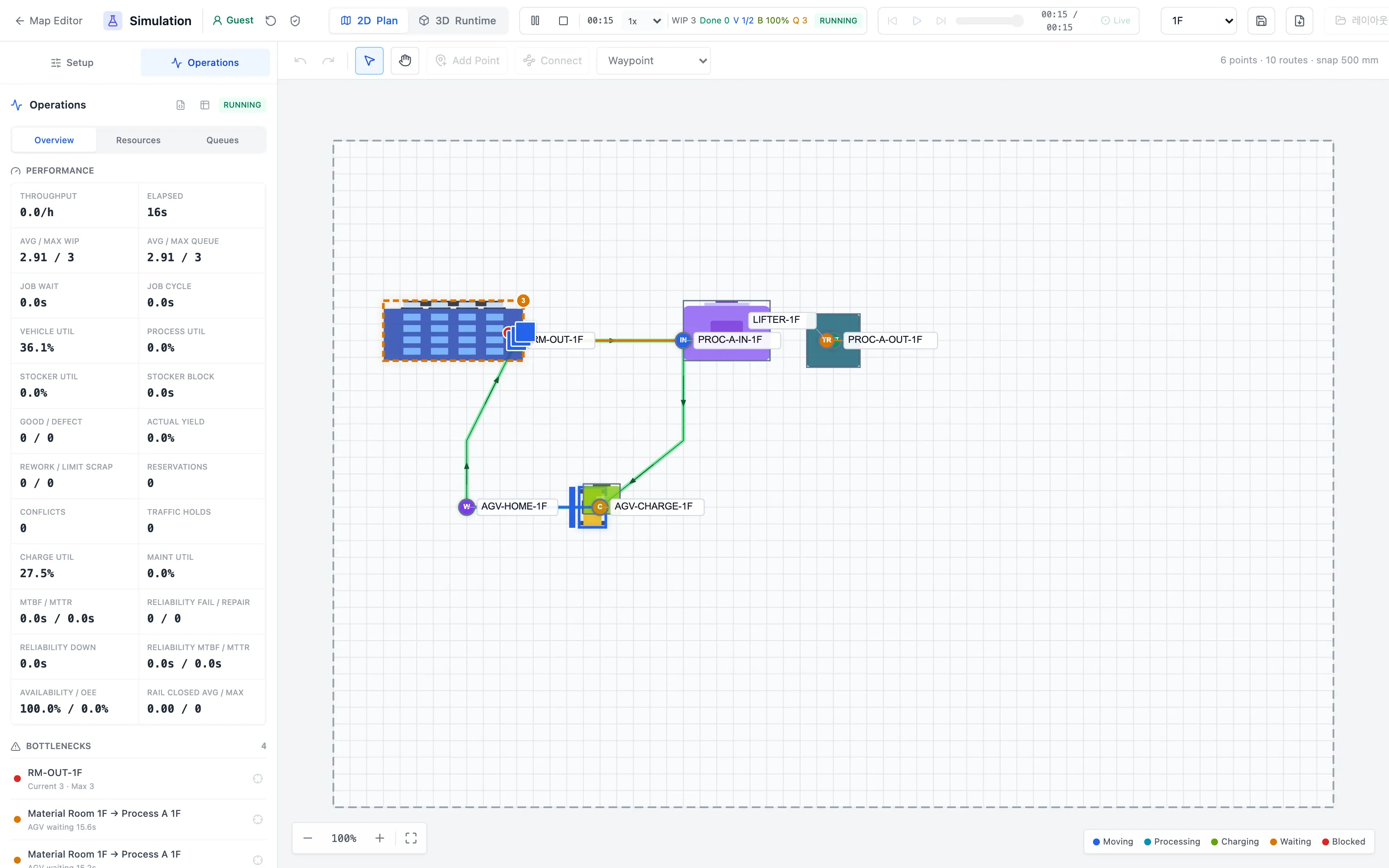
Simulation — 2D plan
Run a demo scenario and operations KPIs such as throughput, utilization and bottlenecks are aggregated live.
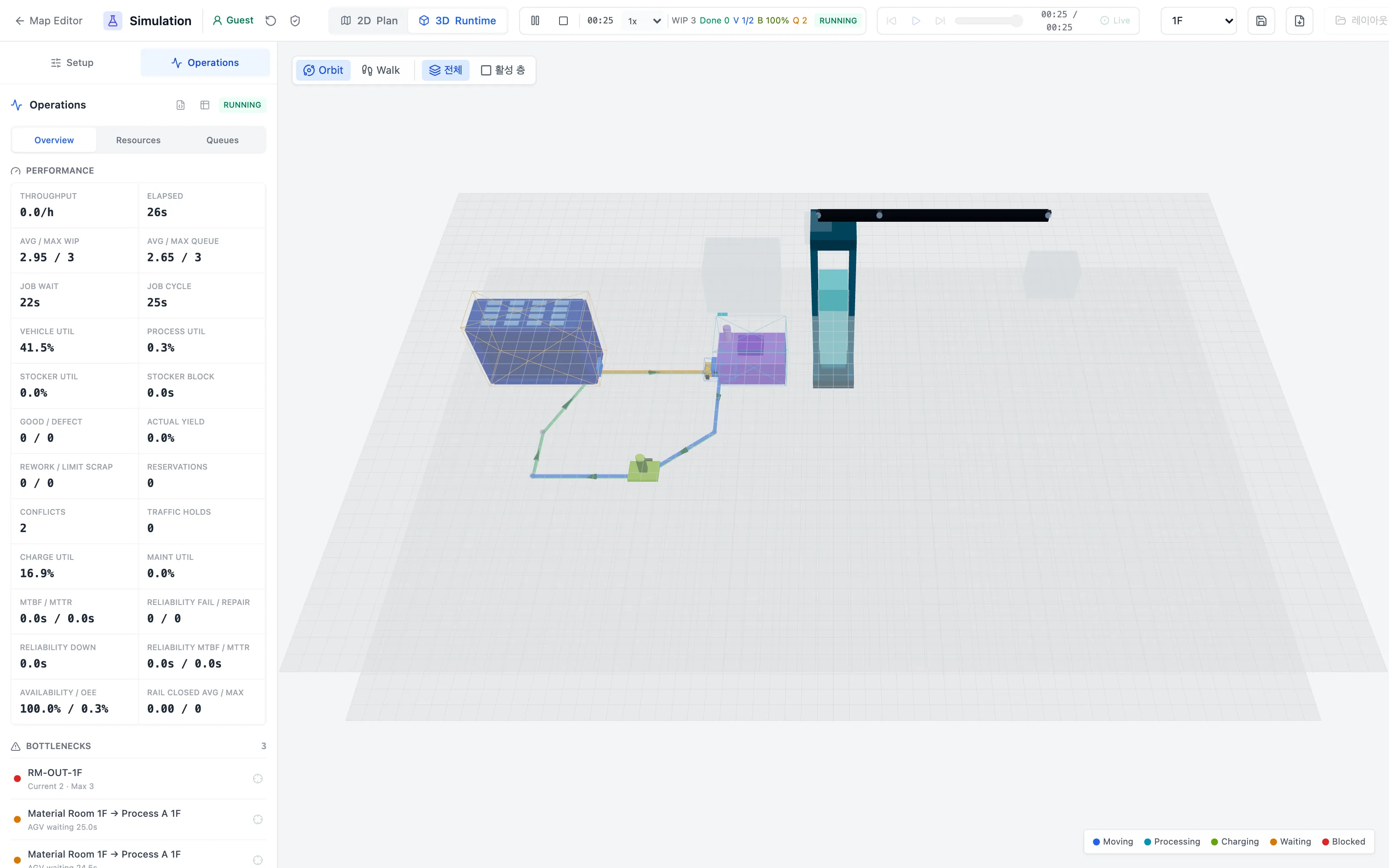
Simulation — 3D runtime
Watch vehicles and equipment move in real time from the 3D runtime view.
A range of demo scenarios
A few of the 17 scenarios — from a conveyor line to a 70-vehicle, 3-floor fab, captured while running in 2D and 3D
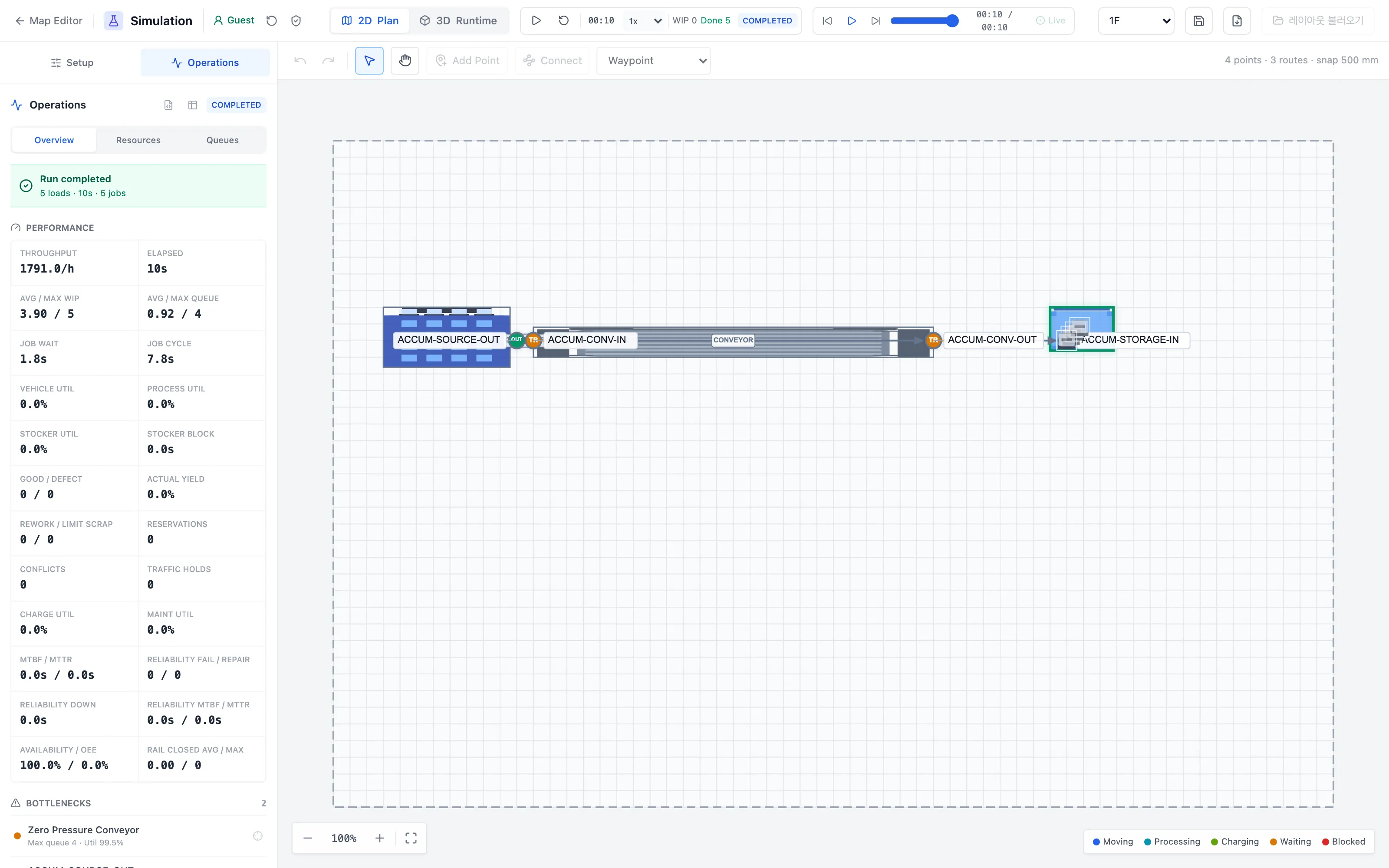
2DConveyor Accumulation
Accumulation conveyor line — resulting KPIs such as 1,791/h throughput after the run completes.
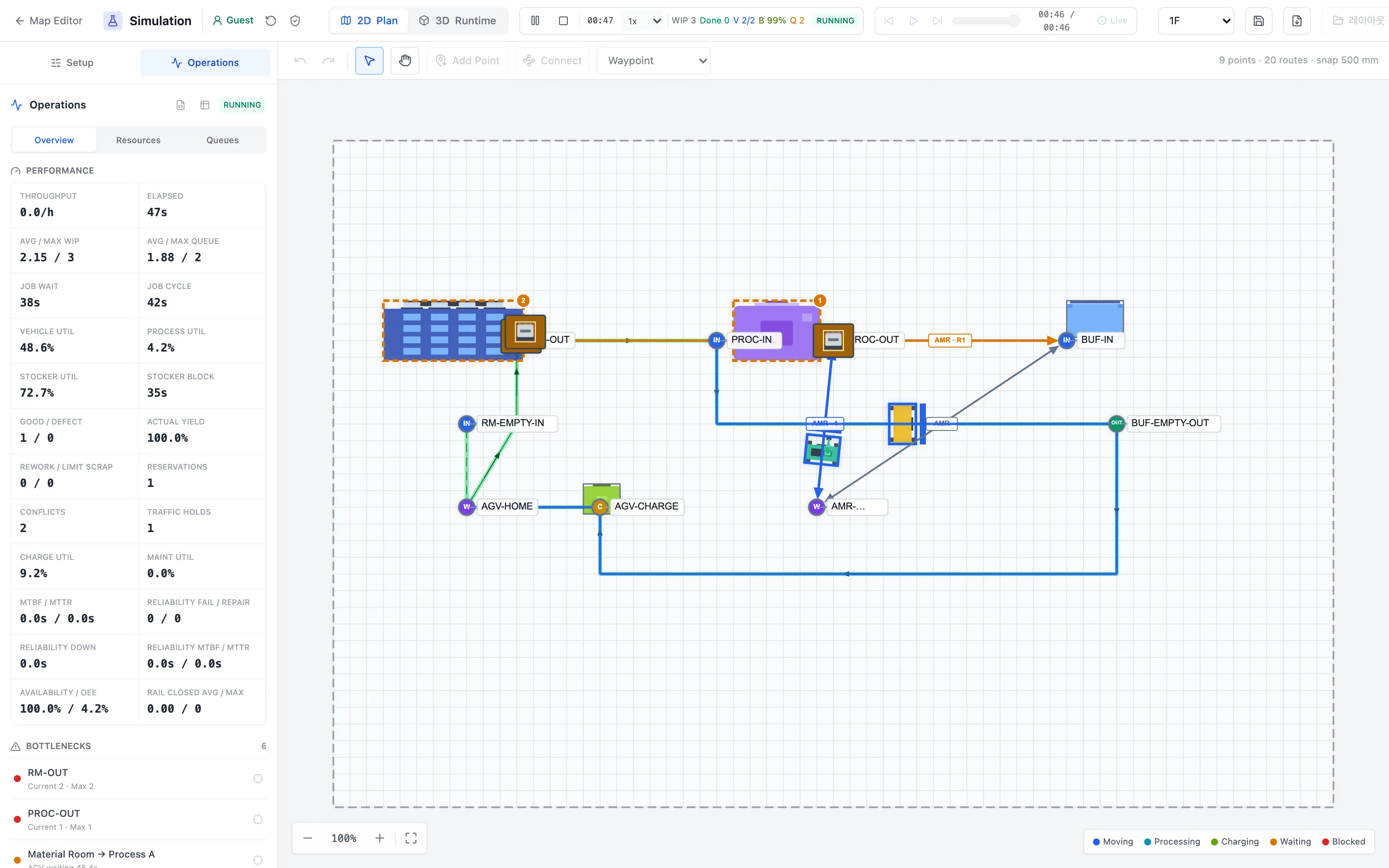
2DBattery Charging
Mixed AGV and AMR operation with charging schedules — charger queues and utilization tracked together.
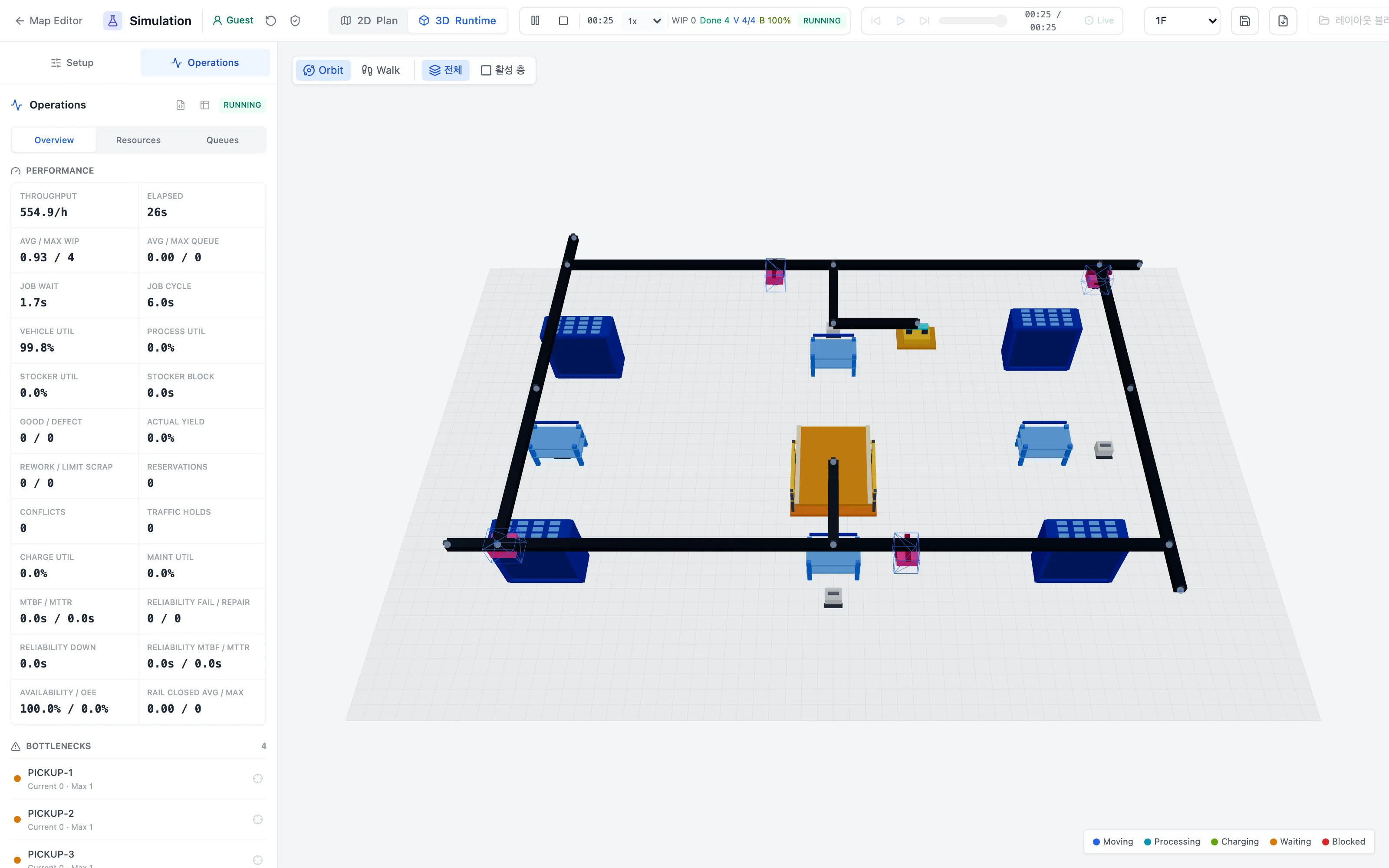
3DOHT Ring · 4 Vehicles
Four vehicles circling an overhead rail ring — 3D runtime at 99.8% vehicle utilization.
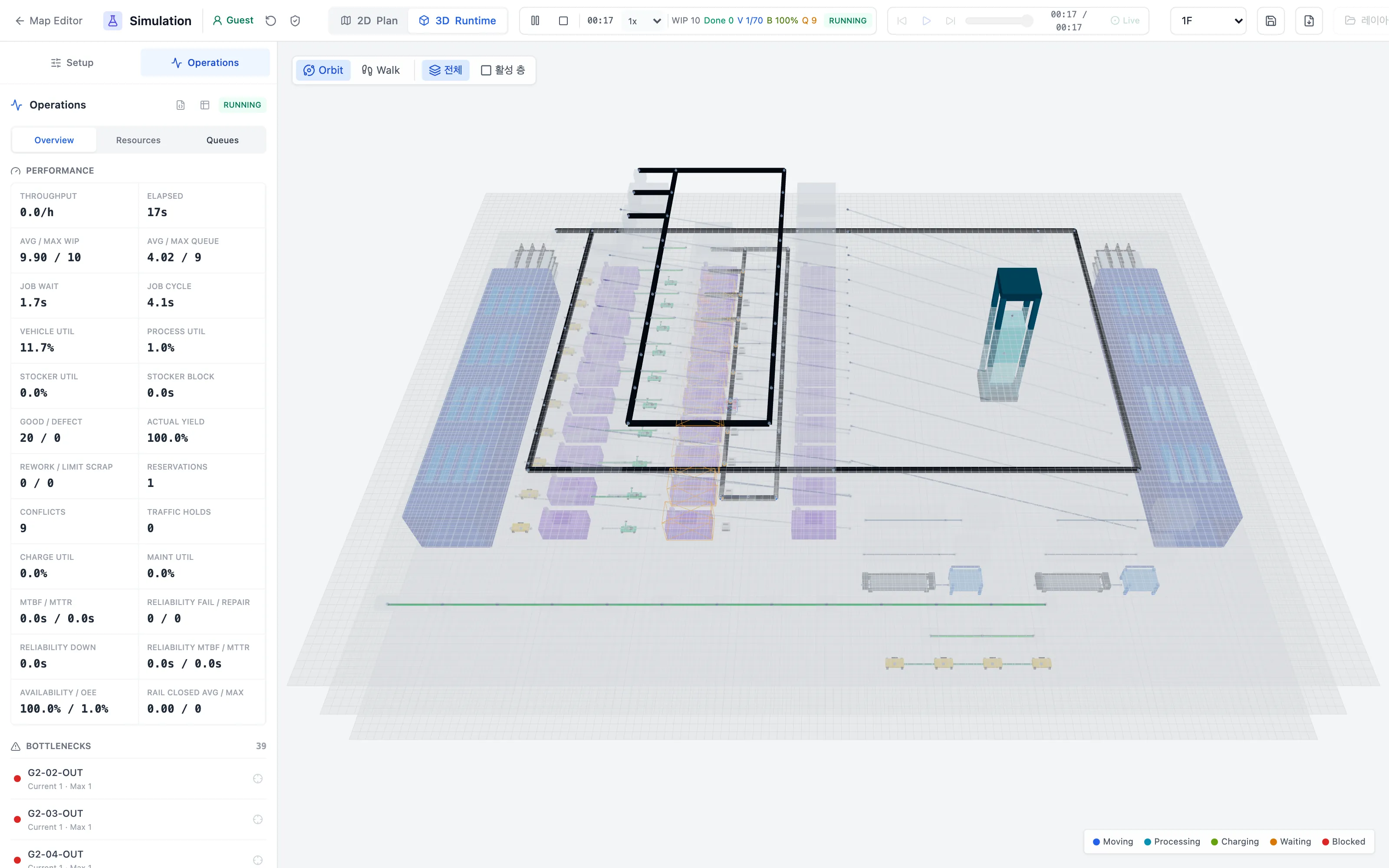
3D3-Floor Fleet · 70 Vehicles
A large fab across three floors with 70 vehicles — 3D orbit view with all levels stacked.
Key features
What you can try hands-on in the demo
| Feature | Description | In demo |
|---|---|---|
| 2D/3D layout editor | Place AGV, AMR, OHT, conveyor, lifter and crane components; edit across multiple floors | Included |
| Logistics simulation | A training demo with 17 scenarios — Integrated Fab Flow, OHT ring, battery charging, 70-vehicle 3-floor fleet and more — for learning how the tool works | Included |
| Operations KPI dashboard | Throughput, vehicle and equipment utilization, WIP and bottlenecks aggregated during the run | Included |
| DWG drawing import | Convert CAD drawings (DWG) and use them as a canvas background overlay | Included |
| Layout server storage · sharing | Revision history, read-only share links, user permissions and audit logs | Operations mode |
| VDA 5050 integration | Connect to real AGV/AMR fleets over the standard protocol | Operations mode |
Operations mode is intended for use on a live fab and is available in TMCS Pro. If you would like to adopt it, please request a quote.
Request a quote